

Welcome to the Hi3D Changelog. Here you’ll find a complete record of product updates, new features, strategy shifts, and major milestones. We update this page with every meaningful release.
2026-05-21 Updates
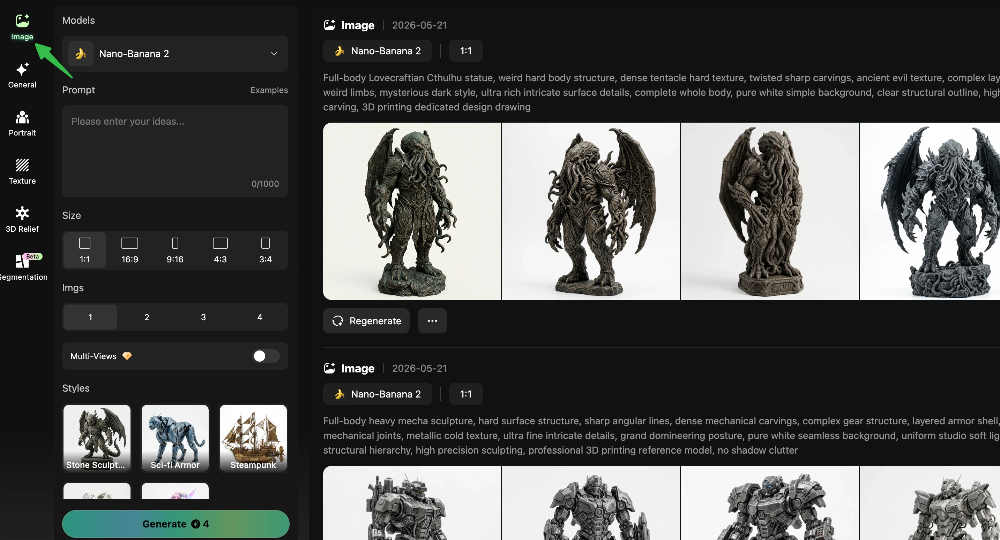
Text to Image
Turn prompts and reference ideas into polished concept images, then continue straight into your 3D workflow.
- Prompt to Image:Describe your idea in plain language and generate detailed visuals in seconds.
- Reference Guided:Combine prompts with reference images for tighter control over shape, palette, and mood.
- Fast Variations:Explore multiple looks quickly to compare composition, material, and character direction.
- Ready for 3D:Reuse the generated result as a strong starting point for your downstream 3D creation flow.
2026-04-17 Updates
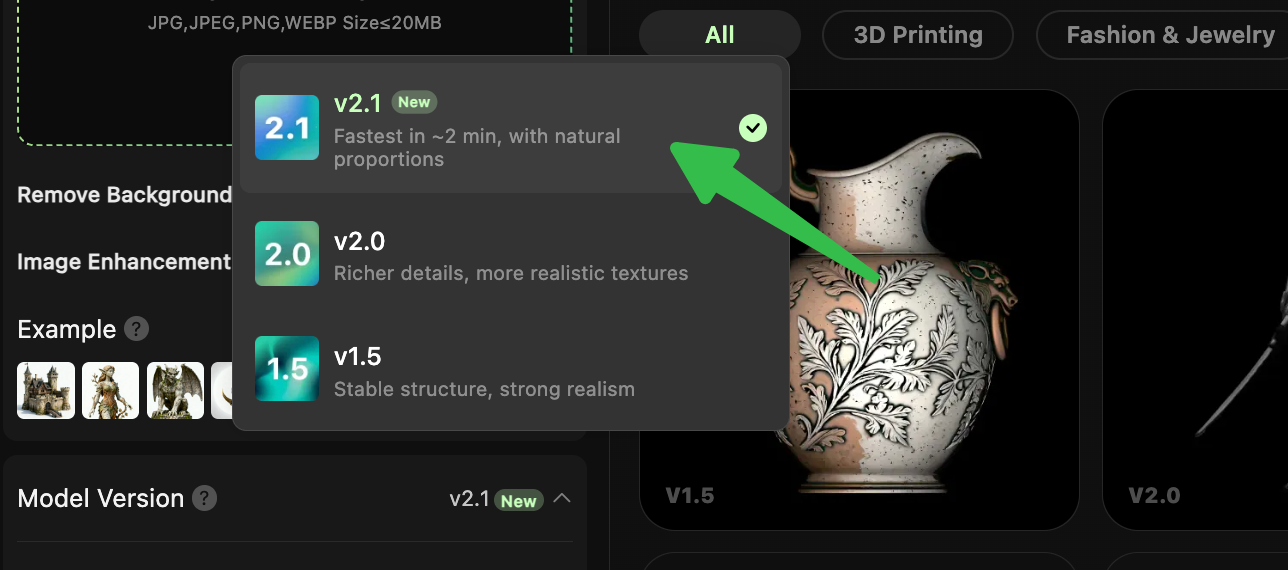
Hi3D v2.1 Is Live
Our next-generation Image-to-3D experience is here. With Version 2.1, we’ve pushed performance across the full creation pipeline:
- Faster generation — geometry generation is now over 60% faster than the standard version while maintaining 1536 resolution, with the fastest cases finishing in under 2 minutes.
- Fast texture mode — get a textured 3D model in under 2 minutes, with up to 90% speed improvement over the standard texture pipeline, while delivering results that are comparable to the full version in most cases.
- More reliable outputs — targeted bad-case optimization and image-quality enhancement make generation more stable and dependable.
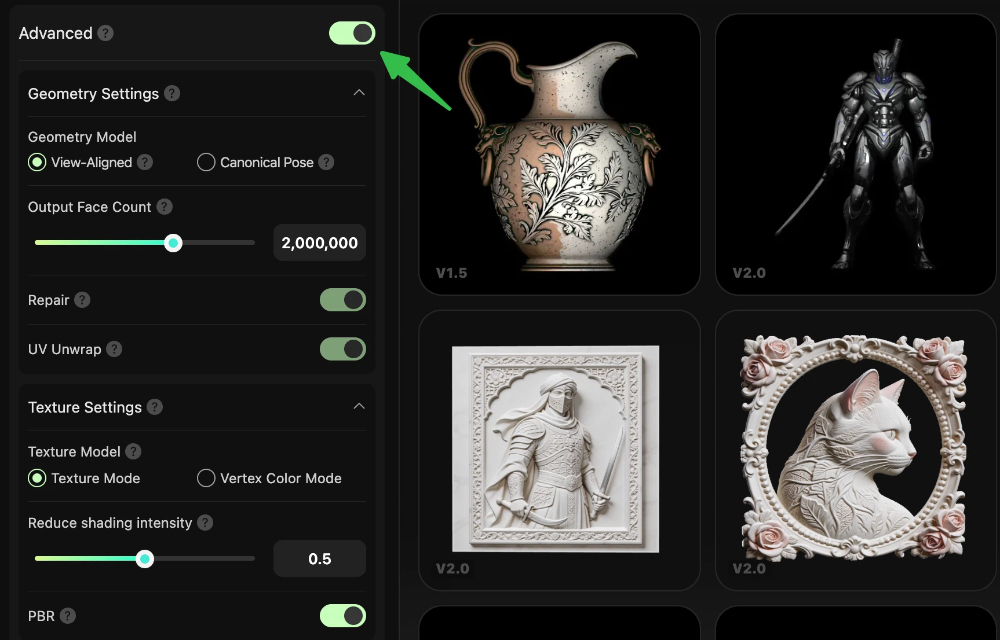
Advanced Mode Now Available
Gain finer control over the 3D generation process, improving flexibility and usability across different scenarios.
Geometry Type Switching
- View-Aligned Mode: Prioritize matching the input image’s viewpoint and pose so the generated result appears closer to the reference from the front. Best for scenarios that require high visual fidelity to the reference image, but non-visible areas (such as the back) may be less structurally consistent.
- Canonical Pose Mode: Prioritize generating a more structurally regular 3D model with a more standard pose, resulting in a more stable and reasonable overall form. Best for high-quality topology needs or 3D printing scenarios, though the result may differ slightly from the exact viewpoint of the input image.
Output Face Count:Sets the complexity of the 3D model geometry. More faces mean more detail, fewer faces mean a simpler model.
Repair:Automatically fixes common mesh issues such as non-manifold geometry or self-intersections. Recommended for 3D printing and textured models.
UV Unwrap:Generates UV maps for the model so textures can be applied correctly. Without UVs, manual texture editing may be difficult.
Texture Model Switching:Choose between vertex colors or texture-based coloring. Vertex colors can be more suitable for certain 3D printing workflows.
Reduce shading intensity: Adjusts how strongly shadows and lighting are removed from the image. Makers often prefer cleaner lighting, while keeping lighting may suit visual or game assets.
PBR: Enable physically based rendering materials with one click for smoother integration into game and film production pipelines.
2026-03-27 Updates
Stylized AI Texture Is Now Live
We’re excited to introduce the fully upgraded AI Texture module, now available on the Web platform with enhanced capabilities for both creators and general users.
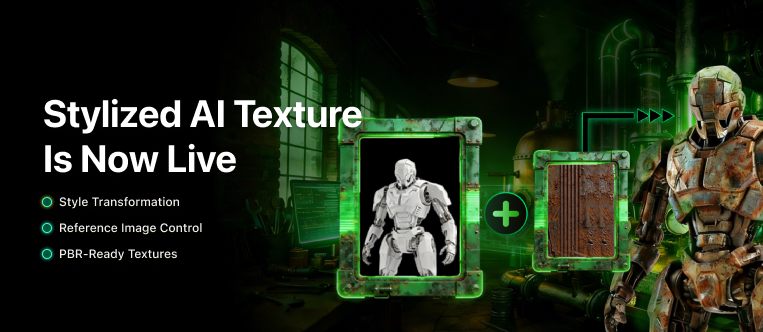
Stylized Texture Generation - Generate textures with full creative control — upload any reference image to apply its color, material, or artistic style onto your 3D geometry model. Perfect for creative design, fan art, and second-creation workflows.
Reference Image Control - Simply provide a geometry model and a reference image, and AI Texture will produce a stylized textured model that matches your vision. No complex configuration required.
PBR Support - Enable Physically Based Rendering (PBR) for more realistic, production-ready texture output. PBR mode can be toggled based on your project needs.
Shadow Removal Control - Fine-tune de-lighting intensity to eliminate baked-in shadows from your geometry model, resulting in cleaner and more flexible texture maps.
Hi3D for ComfyUI Plugin — Now Available
We’re excited to announce the official launch of the Him3D ComfyUI Plugin, bringing Hitem3D’s powerful 3D generation capabilities directly into your ComfyUI workflows.
Image to 3D Mesh Generation — Supports both single-view and multi-view input, with general and portrait model types available.
Texture Generation — Generate high-quality textures independently or as part of a one-click full pipeline.
Flexible Generation Modes — Choose between one-click generation (geometry + texture simultaneously) or staged generation (geometry first, then texture).
Multiple Model Versions Supported
- General: v1.5 (512 / 1024 / 1536 / 1536pro), v2.0 (1536 / 1536pro)
- Portrait: v1.5 (1536), v2.0 (1536pro)
Custom Face Count — Set a target polygon count ceiling to fit your production requirements.
GLB Export — Export your generated 3D assets in GLB format.
In-workflow 3D Preview — Preview generated meshes directly within ComfyUI using the built-in preview node.
2026-03-23 Updates
Segment Anything Challenge
Got a model you’re happy with, but still struggling with messy texture areas and unclear color boundaries? The new Color Painting Segmentation feature is here.
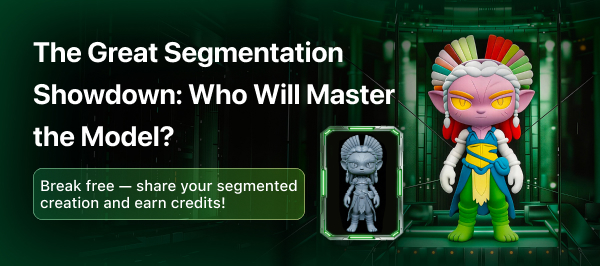
Event Period: March 23 – April 7
How to Join
- Use the Color Painting Segmentation feature in Hi3D https://www.hi3d.ai
- Create a segmented version of your model
- Share your experience with the feature + screenshot + model link in discord https://discord.gg/jFVvJM4cC7 to join the fun
Rewards
- Earn 200 credits just for participating.
- Earn an extra 200 credits by sharing your experience and entry on Reddit.