In the ever-evolving world of fashion, technology is no longer a mere accessory – it’s the loom upon which the future of design is being woven. From initial sketches to final runway presentations, digital tools are revolutionizing how garments are conceived, created, and showcased. As we move into 2026, fashion designers have access to a wealth of software solutions designed to streamline their workflow, enhance creativity, and minimize waste. But with so many options available, how do you choose the right tools for your specific needs?
This article will explore the landscape of fashion design software, covering everything from 2D sketching and pattern making to 3D garment simulation and trend forecasting. We’ll delve into the key features, use cases, pricing, and learning curves of some of the leading software programs. By the end, you’ll have a clear understanding of the best tools available to take your fashion design career to the next level.
What is Fashion Design Software?
Fashion design software encompasses a broad range of digital tools used by fashion designers throughout the entire design process. This includes programs for sketching and illustrating designs, creating and grading patterns, simulating garment behavior in 3D, visualizing collections, and managing the entire production lifecycle. These tools aim to boost efficiency, accuracy, and creativity in the design process, as well as reducing physical prototyping costs and environmental impact.
Fashion Design Software: A Comprehensive Overview
Fashion design software can be broadly categorized into several key areas:
- 2D Design and Sketching: For initial concept development and illustration.
- Pattern Making: For creating accurate patterns for garment construction.
- 3D Garment Simulation: For visualizing and refining designs in a virtual environment.
- Fashion Illustration: For creating stylized visuals of garments and collections.
- Trend Research Tools: For staying ahead of the curve and identifying emerging trends.
- Product Lifecycle Management (PLM) Systems: For managing the entire design and production process.
Let’s take a closer look at each of these categories, examining some of the leading software options and their key features:
2D Design and Sketching
These tools are essential for translating initial ideas into visual representations. They offer a digital canvas for sketching, drawing, and illustrating designs.
Adobe Illustrator:An industry-standard vector graphics editor, Illustrator is widely used for creating detailed fashion sketches, technical drawings, and logo designs. Its precise tools and extensive library of brushes and effects make it a versatile choice for both concept development and final artwork.
- Key Features: Vector-based drawing, customizable brushes, pattern creation tools, integration with other Adobe Creative Cloud apps.
- Use Cases: Fashion sketching, technical drawing, logo design, creating print-ready artwork.
- Pricing: Part of the Adobe Creative Cloud subscription.
- Learning Curve: Moderate to high, requiring familiarity with vector graphics principles.
Procreate: A popular iPad app known for its intuitive interface and powerful drawing capabilities. Procreate is ideal for creating expressive fashion illustrations and sketches directly on a tablet. Its responsive brushes and layer-based system offer a natural and fluid drawing experience.
- Key Features: Intuitive interface, responsive brushes, layer-based system, time-lapse recording.
- Use Cases: Fashion illustration, sketching, creating digital artwork on the go.
- Pricing: One-time purchase.
- Learning Curve: Relatively low, with a user-friendly interface.
Pattern Making
Pattern making software allows designers to create accurate patterns for garment construction, streamlining the process of turning a sketch into a tangible product.
Gerber AccuMark: A leading pattern design, grading, and marker making software solution. It offers powerful tools for creating and modifying patterns, ensuring accurate fit and efficient material utilization.
- Key Features: Pattern design, grading, marker making, integration with cutting machines.
- Use Cases: Creating and grading patterns for mass production, optimizing fabric usage.
- Pricing: Varies based on configuration; typically a subscription model.
- Learning Curve: High, requiring specialized training and knowledge of pattern making principles.
Lectra Modaris: Another industry-leading pattern making software, Lectra Modaris offers advanced tools for creating, modifying, and grading patterns. Its 3D prototyping capabilities allow designers to visualize and refine their designs virtually.
- Key Features: Pattern design, grading, 3D prototyping, virtual sampling.
- Use Cases: Creating complex patterns, virtual prototyping, streamlining the design process.
- Pricing: Varies based on configuration; typically a subscription model.
- Learning Curve: High, requiring specialized training and knowledge of pattern making principles.
Optitex PDS: A comprehensive 2D and 3D CAD/CAM software solution for the apparel industry. Optitex PDS offers powerful tools for pattern design, grading, and 3D simulation, allowing designers to create and visualize their designs in a virtual environment.
- Key Features: 2D and 3D pattern design, grading, virtual sampling, integration with cutting machines.
- Use Cases: Creating and grading patterns, virtual prototyping, optimizing material usage.
- Pricing: Varies based on configuration; typically a subscription model.
- Learning Curve: High, requiring specialized training and knowledge of pattern making principles.
3D Garment Simulation
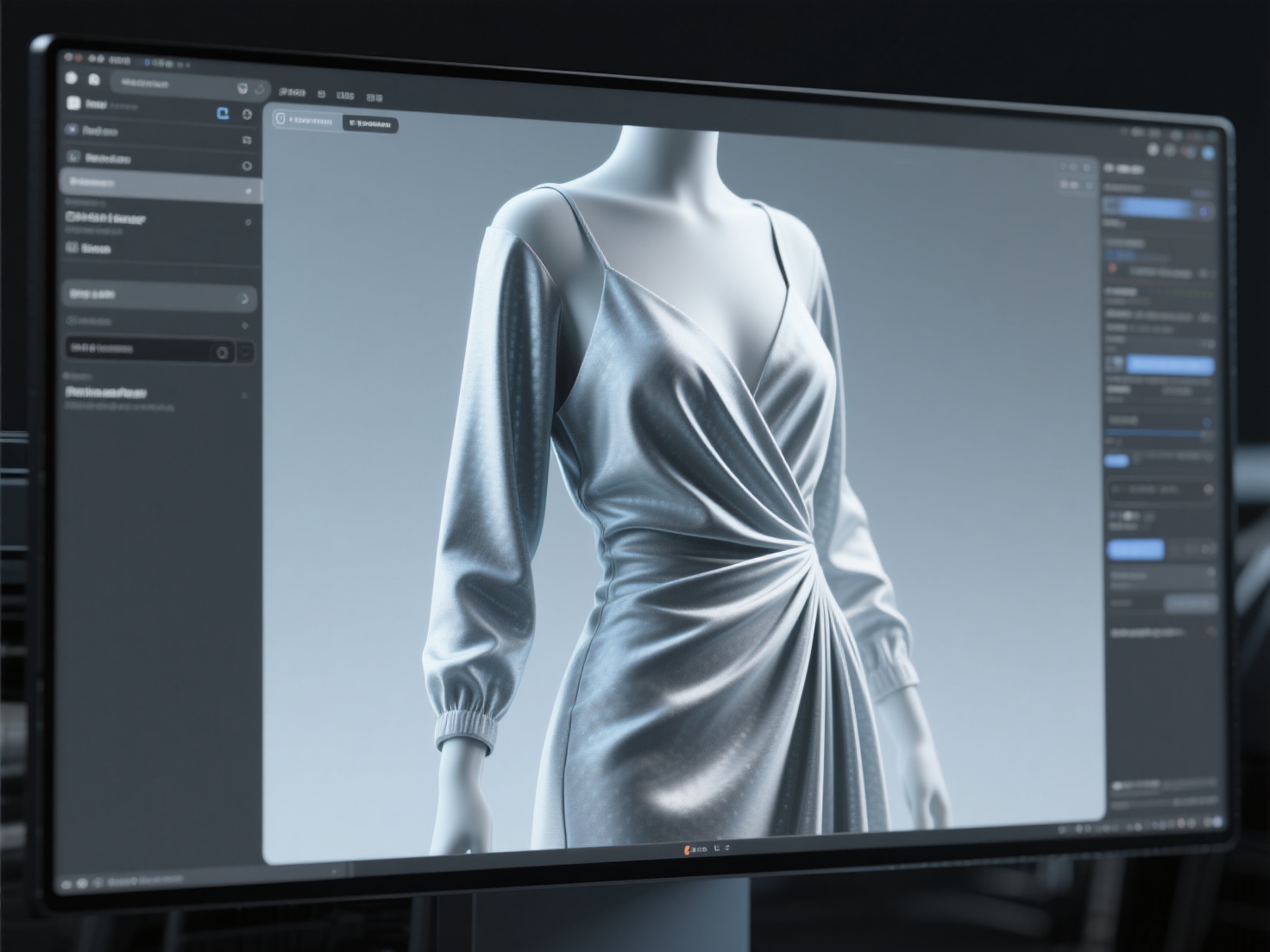
3D garment simulation software allows designers to visualize and refine their designs in a virtual environment, reducing the need for physical prototypes and speeding up the design process.
CLO3D: An industry-leading 3D fashion design software that allows designers to create realistic virtual garments. Its accurate simulation capabilities enable designers to experiment with different fabrics, colors, and silhouettes, reducing the need for physical samples.
- Key Features: Realistic garment simulation, fabric library, virtual fitting, animation capabilities.
- Use Cases: Virtual prototyping, creating marketing visuals, showcasing designs online.
- Pricing: Subscription-based, with various tiers available.
- Learning Curve: Moderate, requiring some understanding of garment construction and 3D modeling principles.
Marvelous Designer: A powerful 3D clothing simulation software known for its realistic fabric dynamics. Marvelous Designer allows designers to create intricate and flowing garments with ease, making it ideal for creating virtual prototypes and animations.
- Key Features: Realistic fabric simulation, pattern-based workflow, animation capabilities, integration with other 3D software.
- Use Cases: Virtual prototyping, creating animations, simulating complex garments.
- Pricing: Subscription-based, with various tiers available.
- Learning Curve: Moderate, requiring some understanding of garment construction and 3D modeling principles.
Browzwear VStitcher: Another leading 3D garment simulation software that offers a comprehensive set of tools for creating and visualizing virtual garments. VStitcher allows designers to experiment with different fabrics, colors, and trims, and create realistic renderings for marketing and sales purposes.
- Key Features: Realistic garment simulation, fabric library, virtual fitting, rendering capabilities.
- Use Cases: Virtual prototyping, creating marketing visuals, showcasing designs online.
- Pricing: Subscription-based, with various tiers available.
- Learning Curve: Moderate, requiring some understanding of garment construction and 3D modeling principles.
Fashion Illustration
These tools allow designers to create stylized visuals of garments and collections, often used for presentations, marketing materials, and social media content.
Procreate(Mentioned above in 2D Design and Sketching)
Clip Studio Paint: A versatile digital painting and illustration software that is popular among fashion illustrators. Its wide range of brushes, pens, and pencils allows designers to create expressive and detailed illustrations.
- Key Features: Wide range of brushes, perspective rulers, 3D model integration, animation capabilities.
- Use Cases: Fashion illustration, creating manga and comics, animation.
- Pricing: One-time purchase or subscription-based.
- Learning Curve: Moderate, requiring some familiarity with digital painting techniques.
Trend Research Tools
Staying ahead of the curve is crucial in the fashion industry. Trend research tools help designers identify emerging trends, analyze consumer behavior, and predict future styles.
WGSN: A leading trend forecasting service that provides insights into upcoming trends in fashion, beauty, and lifestyle. WGSN offers detailed reports, visual inspiration, and data-driven analysis to help designers make informed decisions.
- Key Features: Trend forecasting reports, visual inspiration, data-driven analysis, expert insights.
- Use Cases: Identifying emerging trends, planning seasonal collections, developing new products.
- Pricing: Subscription-based, with various tiers available.
- Learning Curve: Low, requiring the ability to interpret trend reports and apply them to design decisions.
Trendalytics: A data-driven trend forecasting platform that uses artificial intelligence to identify and predict emerging trends. Trendalytics analyzes social media data, search engine queries, and e-commerce sales to provide designers with actionable insights.
- Key Features: Data-driven trend forecasting, social media analysis, e-commerce insights, predictive analytics.
- Use Cases: Identifying emerging trends, optimizing product development, targeting marketing campaigns.
- Pricing: Subscription-based, with various tiers available.
- Learning Curve: Moderate, requiring some understanding of data analysis and marketing principles.
Product Lifecycle Management (PLM) Systems
PLM systems help fashion companies manage the entire design and production process, from initial concept to final product. These systems offer tools for managing product data, collaborating with suppliers, tracking production schedules, and ensuring quality control.
- Examples include: Centric PLM, Bamboo Rose, and YuniquePLM.
Software Comparison Table
| Software | Category | Key Features | Use Cases | Pricing | Learning Curve |
|---|---|---|---|---|---|
| Adobe Illustrator | 2D Design & Sketching | Vector-based drawing, customizable brushes, pattern creation | Fashion sketching, technical drawing, logo design | Subscription | Moderate |
| Procreate | 2D Design & Sketching | Intuitive interface, responsive brushes, layer-based system | Fashion illustration, sketching, creating digital artwork on the go | One-time purchase | Low |
| Gerber AccuMark | Pattern Making | Pattern design, grading, marker making, integration with cutting machines | Creating and grading patterns for mass production, optimizing fabric usage | Subscription | High |
| Lectra Modaris | Pattern Making | Pattern design, grading, 3D prototyping, virtual sampling | Creating complex patterns, virtual prototyping, streamlining the design process | Subscription | High |
| CLO3D | 3D Garment Simulation | Realistic garment simulation, fabric library, virtual fitting, animation | Virtual prototyping, creating marketing visuals, showcasing designs online | Subscription | Moderate |
| Marvelous Designer | 3D Garment Simulation | Realistic fabric simulation, pattern-based workflow, animation, integration | Virtual prototyping, creating animations, simulating complex garments | Subscription | Moderate |
| WGSN | Trend Research | Trend forecasting reports, visual inspiration, data-driven analysis | Identifying emerging trends, planning seasonal collections, developing new products | Subscription | Low |
| Trendalytics | Trend Research | Data-driven trend forecasting, social media analysis, e-commerce insights | Identifying emerging trends, optimizing product development, targeting marketing | Subscription | Moderate |
Enhancing Your Fashion Designs with Hitem3D
While the software mentioned above are crucial for garment creation, the complete fashion look often extends beyond clothing. Accessories, footwear, and jewelry play a vital role in defining style and completing a design.
Hitem3D offers a unique solution for generating high-quality 3D models of these elements, seamlessly integrating into your fashion design workflow.
Imagine you’ve designed a stunning dress in CLO3D and want to showcase it with a custom-designed handbag. Instead of manually modeling the handbag in a separate 3D software, you can simply upload reference images to Hitem3D, and its AI-powered engine will generate a production-ready 3D model with geometric accuracy. This 3D model can then be imported into CLO3D to complete the look and create stunning visuals.
Hitem3D is a next-generation AI-powered 3D model generator built on in-house Sparc3D (high precision) and Ultra3D (high efficiency) models. Users simply upload an image — single view or multi-view (2–4 images) — to generate production-ready 3D models with full geometric accuracy. It’s trusted by creators in 50+ countries, supports resolutions up to 1536³ Pro (up to 2M polygons), and outputs GLB, OBJ, STL, FBX, and USDZ formats.
Key benefits of using Hitem3D in your fashion design workflow:
- Rapid Prototyping: Quickly generate 3D models of accessories and footwear, eliminating the need for manual modeling and speeding up the design process.
- Enhanced Realism: Create highly detailed and realistic 3D models with accurate geometry and PBR textures. Hitem3D includes De-Lighted Texture capabilities to intelligently remove baked-in lighting for true relightable PBR materials.
- Seamless Integration: Import Hitem3D models into your existing fashion design software for a complete and integrated workflow.
- Invisible Parts Technology: Reconstructs invisible/hidden parts beyond visible surfaces.
- Free Retry: Regenerate results without additional credits.
By leveraging Hitem3D’s AI-powered technology, fashion designers can elevate their designs, enhance their presentations, and create truly immersive and compelling visuals.
Best Practices for Choosing Fashion Design Software
Choosing the right fashion design software can be a daunting task. Here are some best practices to help you make the right decision:
- Define Your Needs: Identify your specific needs and priorities. What type of designs do you create? What are your biggest challenges in the design process?
- Consider Your Budget: Fashion design software can range from free to very expensive. Set a budget and look for software that offers the best value for your money.
- Evaluate the Learning Curve: Consider your skill level and the time you are willing to invest in learning new software. Choose software with a user-friendly interface and comprehensive training resources.
- Test Before You Invest: Many software companies offer free trials or demos. Take advantage of these opportunities to test the software and see if it meets your needs.
- Read Reviews: Read online reviews and ask for recommendations from other fashion designers. Get feedback from people who have used the software and can share their experiences.
Conclusion
The world of fashion design software is vast and ever-evolving. By understanding the different types of software available and their key features, you can choose the right tools to enhance your creativity, streamline your workflow, and stay ahead of the curve. From 2D sketching and pattern making to 3D garment simulation and trend forecasting, there’s a software solution for every aspect of the design process.
And don’t forget the power of accessories! Hitem3D complements your fashion design software by offering a fast and efficient way to generate high-quality 3D models of accessories, footwear, and jewelry. This helps you complete your designs and create stunning visuals.
Ready to experience the future of 3D modeling? Create For Free and see how Hitem3D can revolutionize your fashion design workflow: https://www.hitem3d.ai/create
FAQ
Q: What is the best fashion design software for beginners?
A: Procreate is a great option for beginners due to its intuitive interface and affordable price. For 3D garment simulation, CLO3D offers educational licenses and a wealth of online tutorials.
Q: Can I use fashion design software on a Mac?
A: Yes, most fashion design software is compatible with both Mac and Windows operating systems. However, it’s always best to check the system requirements before purchasing.
Q: Is it possible to create realistic 3D garments with fashion design software?
A: Yes, software like CLO3D and Marvelous Designer are designed to create highly realistic 3D garments with accurate fabric simulation and rendering capabilities.
Q: How important is it to learn pattern making software?
A: If you plan on creating your own patterns for garment construction, learning pattern making software like Gerber AccuMark or Lectra Modaris is essential. However, if you primarily focus on design and illustration, you may not need to learn these tools.
Q: Where can I find training and tutorials for fashion design software?
A: Many software companies offer online training resources, tutorials, and certification programs. You can also find a wealth of tutorials on platforms like YouTube and Skillshare.